But if a customer currently texts and asks to buy a product, the business doesn’t have a live chat person. If you wait forever and don’t respond, customers will leave. You have to wait until the holidays pass, the business returns to work, and when you reply to the message, the customer is no longer there. They are even interested in competing products. So you’ve missed a valuable sales opportunity!
At Subiz you can turn things around. By using holiday app features that help ensure immediate response when customers interact, retain customers and thereby capture sales opportunities.
Chatbots automatically respond to customers 24/7
No matter through which channel the customer interacts, Website, Facebook, Zalo, etc. Subiz chatbot always ensures fast automated responses, helping customers feel cared for. From there, it’s easy to collect customer information, schedule contacts, etc. so that once you return to work you can continue serving them.
Subiz chatbot can:
- Hello guests
- Notification of holiday schedule
- Ask about customer needs
- Passenger flow
- Ask for customer information
- Respond to simple requests yourself
- Share with the person responsible for the staff.
For example, some customers implemented Subiz Chatbots such as:
Example of a customer support chatbot
See details: Instructions for creating a Bot to respond to customers
Subiz provides many Bot script templates available for every industry/field, helping you save design time.
- Easy to install: Select a suitable Bot template and set it for the desired time.
- There are no additional fees: Bots can operate across multiple channels without incurring additional costs.
- Runs automatically: The bot will operate according to the program and time you set, providing effective customer support.
You can also create completely new scripts or edit them based on existing templates to better suit your needs and target audience.
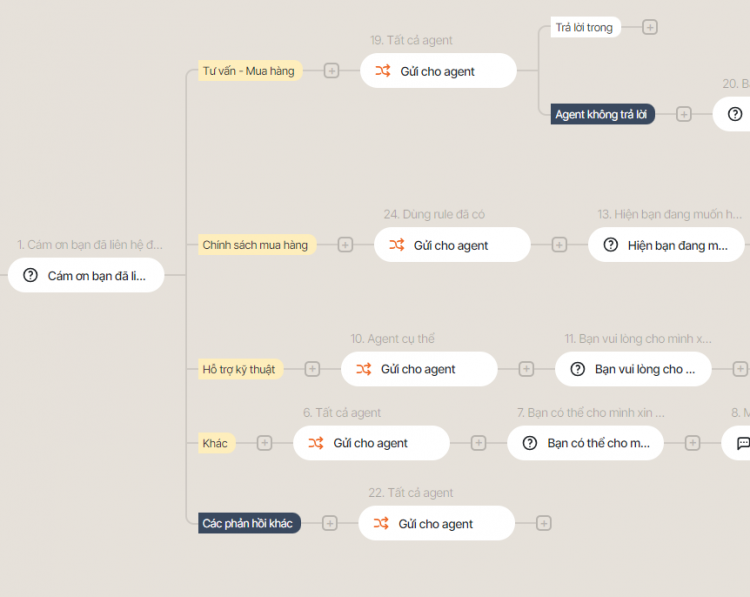
Automated customer service bot script
Set automatic dialog for Switchboard
Just like on a website, when customers call the switchboard but no one answers the phone, they may feel disappointed about not receiving timely support, and even judge the business as unprofessional.
To avoid this situation, you can install automated voice chat on Subiz Switchboard, helping retain customers and ensuring they still receive necessary instructions even when there is no live staff to answer during these holidays.
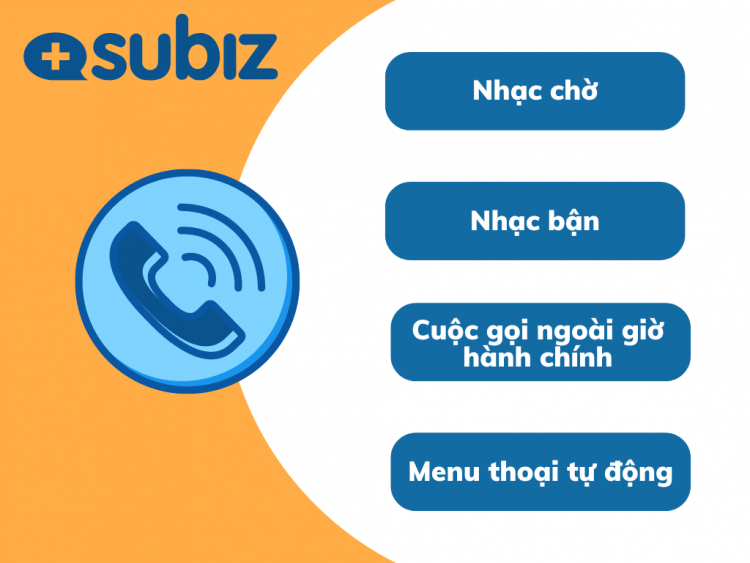
Using Subiz switchboards, businesses can create their own ringback tones, busy tones, out-of-hours call notifications, and automated voice menus.
Details: Instructions for creating call distribution rules and setting up switchboard dialogs in Subiz
Instead of it beeping and then disconnecting automatically, you can set a busy message like: “Thank you for contacting Subiz! We are currently on vacation and will be back to work on Tuesday, March 8th. Have a great holiday!”
Installing automated dialogues not only helps businesses maintain professionalism but also provides many important benefits in customer service and operational optimization such as:
- Reduce customer departure rates due to lack of response.
- Providing information immediately, helps customers know the business is still open and can provide support at a later time.
Specifically, you can create Rules to distribute missed calls to specific responsible Agents.
- Any missed calls will be immediately notified to the Agent in charge, ensuring customers receive prompt support upon returning to work.
- Helps minimize missed customers, increase conversion rates and optimize customer service.
Automatic job assignment (Subiz tack)
To ensure a smooth workflow and not miss any customer requests, you can take advantage of the reminder feature in Subiz.
Task reminders are a list of tasks that an agent must complete. Feature Task reminder will help you:
- Remember and avoid missing things that need to be done to support customers
- Plan individual consultant work
- Delegate tasks to others such as managers who assign employees and colleagues who assign internal tasks.
Specifically, with this feature, even during the holiday season, you can still assign tasks automatically and ensure:
- After the break, the person in charge will receive a notification and immediately resume work after returning to work.
- Don’t worry about losing customers, even if there’s no one in the chat or switchboard during breaks.
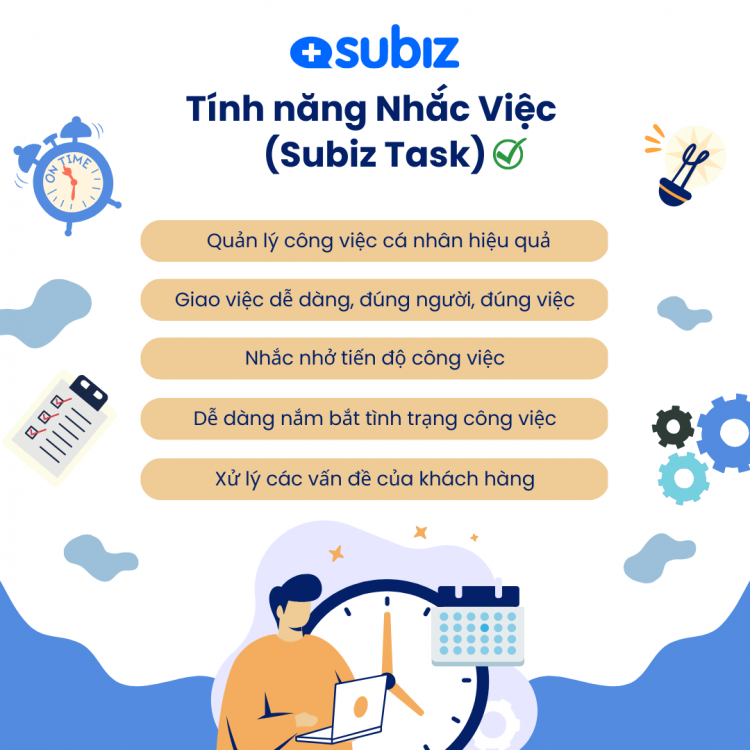
Subiz task reminder feature – Subiz Tasks
See details: Instructions for creating task reminders
Solutions to help businesses maintain professional service and overall customer service!
Subiz Mobile App serves customers anytime, anywhere
Are you worried that not chatting for a day could cause you to lose a lot of customers, especially in industries like Real Estate, Cars…?
Don’t let any customer miss out! Use the Mobile Subiz application that helps you serve customers anytime, anywhere, respond quickly and don’t miss any opportunities!
Amazing advantages:
- Prioritize conversations – Messages awaiting a response are automatically pushed to the top, helping consultants reach customers quickly. At the same time, easily recognize which channels customers come from.
- Conversation history – Easily search for users and messages to review information and continue customer service when needed.
- Automatically saves information – Even if the connection is lost, all data remains stored in the system, helping you work with peace of mind without worrying about losing information.
- Just text and call – The Subiz Mobile app integrates Messenger and switchboard directly in the app, giving you more flexibility in consultation and customer service.
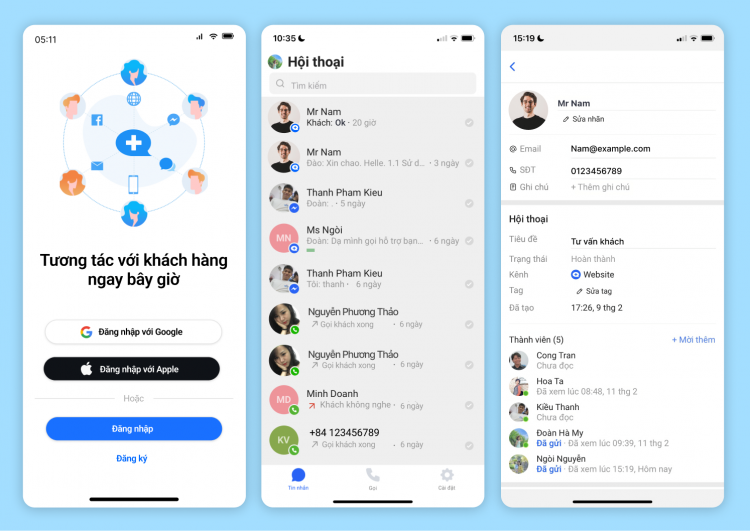
Subiz Mobile App serves customers anytime, anywhere
You can download the Subiz app using the link below:
You can use the Subiz mobile app to reply to messages and contact the switchboard.
Subiz not only helps you stay connected with customers during the holidays but also optimizes workflows, increases business efficiency, and builds customer loyalty through smart features and automation. For support, call: 02473 021 368
PakarPBN
A Private Blog Network (PBN) is a collection of websites that are controlled by a single individual or organization and used primarily to build backlinks to a “money site” in order to influence its ranking in search engines such as Google. The core idea behind a PBN is based on the importance of backlinks in Google’s ranking algorithm. Since Google views backlinks as signals of authority and trust, some website owners attempt to artificially create these signals through a controlled network of sites.
In a typical PBN setup, the owner acquires expired or aged domains that already have existing authority, backlinks, and history. These domains are rebuilt with new content and hosted separately, often using different IP addresses, hosting providers, themes, and ownership details to make them appear unrelated. Within the content published on these sites, links are strategically placed that point to the main website the owner wants to rank higher. By doing this, the owner attempts to pass link equity (also known as “link juice”) from the PBN sites to the target website.
The purpose of a PBN is to give the impression that the target website is naturally earning links from multiple independent sources. If done effectively, this can temporarily improve keyword rankings, increase organic visibility, and drive more traffic from search results.