Most customers decide to buy something based on their emotions. Therefore, their experiences when they interact with consultants are very important. Are you ready to use Subiz and find ways to interact with customers effectively? This article will share tips to help you use Subiz to bring the expected experience for your customers.
Start interacting with customers through Subiz
To start interacting with your customers, you just enter Subiz through this link:
To be comfortable, don’t forget to save a password and browser bookmark to easily enter next time.
Receive messages and respond to customers
After successfully entering, you can start receiving and responding to customer messages right in the activity section.
Activity
- User List: All customers interact with you through Subiz
- New Message Notification: Messages that you haven’t read will display a red message
- List of Activities: Subiz Displays Customer Activities
- Widget Chat: Where you order and make new conversations with customers.
Tracking the history of customer interaction
When interacting with customers, you can track the history of interactions between you and your customers in the list of activities. Conversation content, customer information is seen, and customer interaction through channels all seen here.
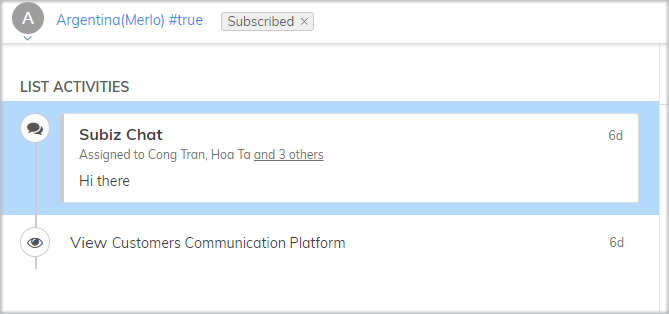
List of activities
- Viewed: Customer pages viewed on the website
- Subiz Chat: Conversation with customers who come through the website
- Messenger: Conversations with customers come through fanpage
- Email: email conversation with customers
Respond quickly customers with canned responses
How to interact with customers effectively with several conversations? By compiling a sample response, you can shorten the customer response time – one of the most important factors for successful customer involvement.
You can make a different answer sample and use it in a conversation with customers:
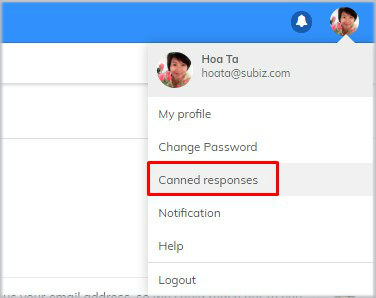
Respond to canned
See the response to making cans here.
Categorize customers with tags
After each conversation, to easily summarize the conversation content and categorized by the customer, you can use the Subiz tag feature.
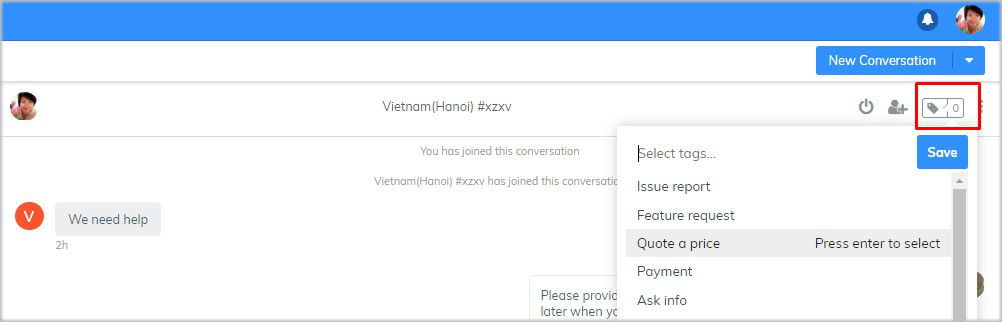
Mark
See the guide on how to make a tag to a conversation here.
Update and manage customer information
Subiz is run as CRM to help you interact and store customer information. After every interaction, you can store the right information on the subiz system. This makes it easy to find and manage the information you interact with customers.
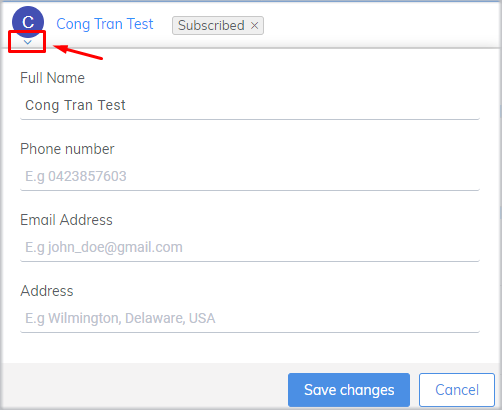
User information
Feel the application subiz
Every day you need to log in Subiz to interact with your customers. Instead of entering several times and remember your account password via app.subiz.com, the agent can fully create a Subiz application on a computer screen to easily enter the account quickly during the new working day.
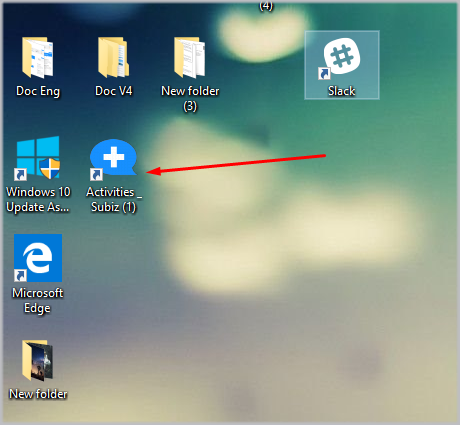
Subiz Application on PC
To help businesses interact with customers anytime, anywhere, Subiz has developed application cellular applications. Now install the Mobile App Subiz so you can control and respond to the conversation right on your cellphone and don’t miss any interaction with your customers.
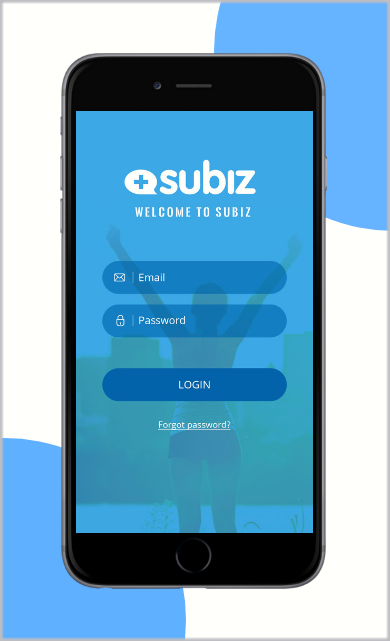
Cellular application
Read more customer interactions everywhere with Subiz cellular applications
Read more App Subiz Experience on PC
Observe visitors
Only online to support customers is not enough, you can actively observe and understand customer needs. Identify who your customers are, where are they, what problems they are interested in? All are displayed on the visitor page.
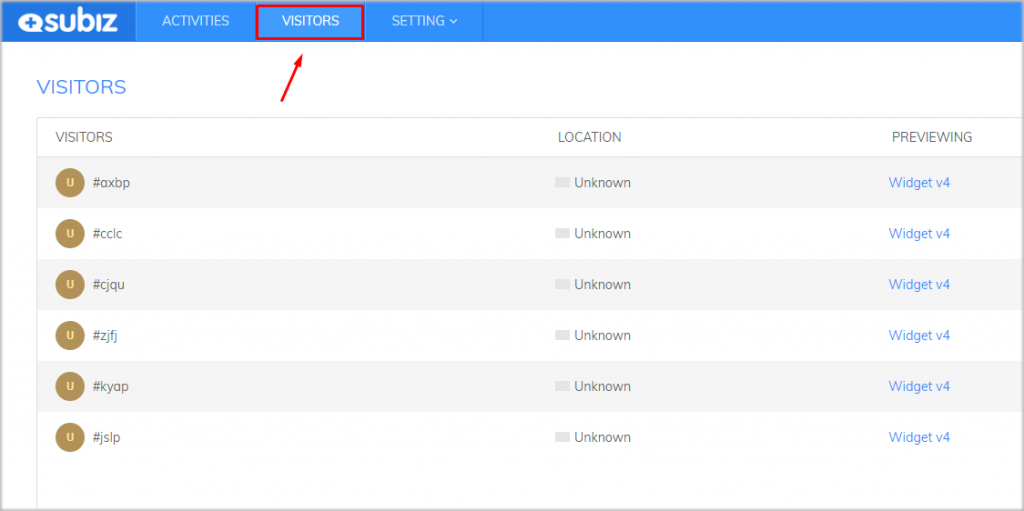
Visitor
In addition, you can make new conversations to achieve and maximize interactions with your customers.
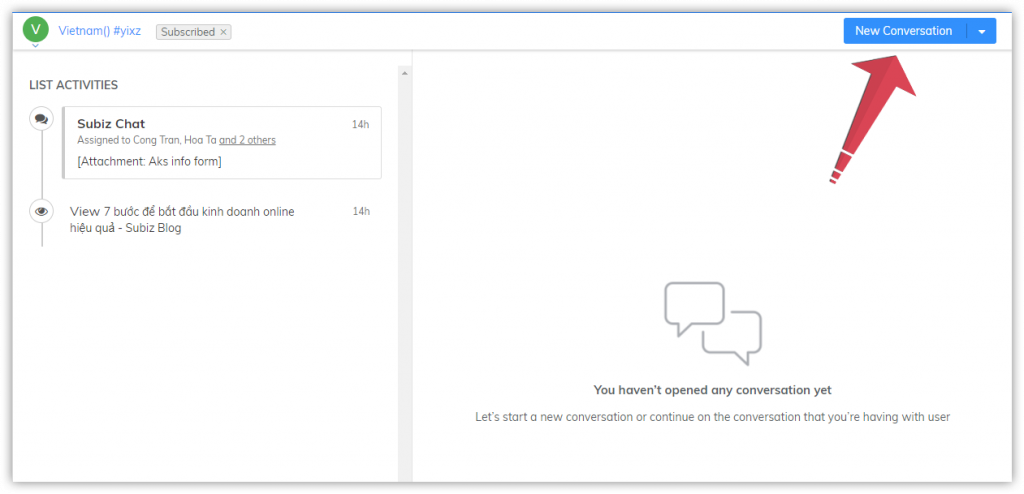
Create a new conversation
Evaluate your interactivity
In Subiz, the history of any interaction with your customers is maintained. You can track the report section to see the total number of interactions through channels, customer problems or problems.
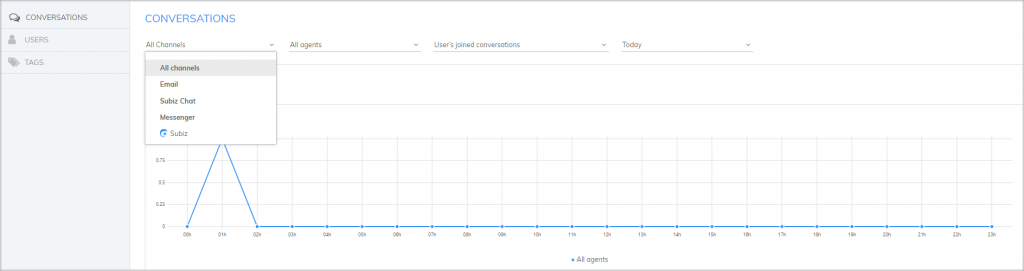
Evaluate your interactivity
These criteria are evaluated on days, weeks, … then, you can evaluate the effectiveness of your interaction: how much you receive daily chat, how many orders, the most effective channels, … this data, you can adjust and improve the quality of your interactions.
You can refer to the statistics guide here.
For conversation to be successful, consultants need to build meaningful conversations and solve customer problems. Hopefully, sharing will help consultants to effectively use Subiz tools to bring the best experience for their customers. For questions, please contact Subiz directly through the Subiz.com chat widget.
Game Center
Game News
Review Film
Rumus Matematika
Anime Batch
Berita Terkini
Berita Terkini
Berita Terkini
Berita Terkini
review anime
Gaming Center
Originally posted 2025-05-30 15:30:11.